> For the complete documentation index, see [llms.txt](https://help.roolz.net/llms.txt). Markdown versions of documentation pages are available by appending `.md` to page URLs; this page is available as [Markdown](https://help.roolz.net/messendzher/faq-po-funkcionalu/blokirovka-polzovatelya-i-chernyi-spisok.md).

# Блокировка пользователя и черный список

Все о блокировке пользователей в транспортной IT-системе Roolz. Читайте, чтобы узнать, как заблокировать или разблокировать аккаунты на платформе.

### **Что такое блокировка пользователя?**

Блокировка пользователя — это добавление пользователя в ваш персональный черный список.

Если вы хотите, чтобы определенный пользователь не мог вас найти и отправлять сообщения, вы можете заблокировать его.

Когда пользователь заблокирован, то:

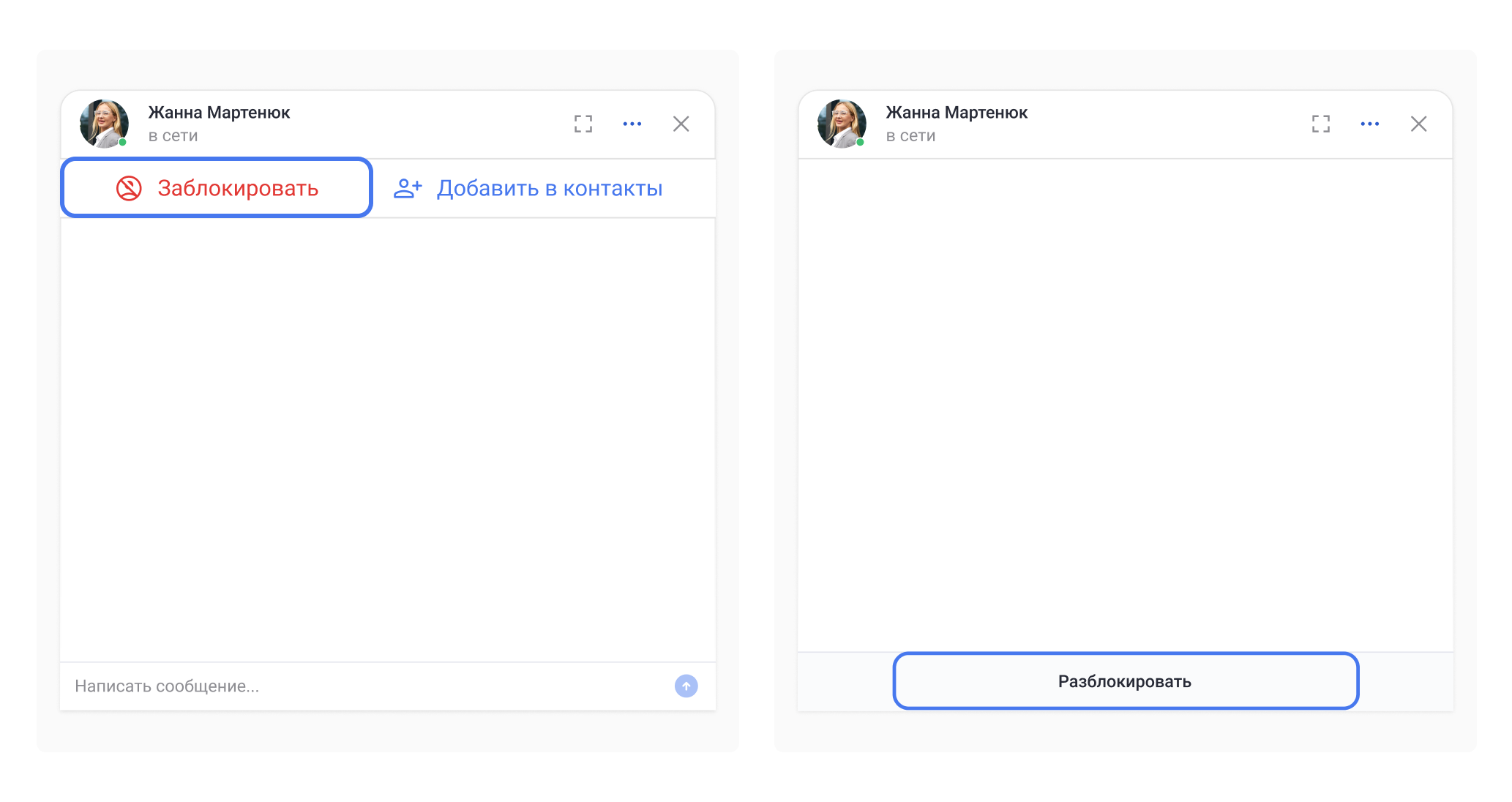
* И вы, и пользователь не можете отправлять другу другу сообщения в диалоге. Вместо панели ввода отображается уведомление о том, что вы заблокировали собеседника или, наоборот, он вас.

<div align="left"><figure><img src="https://2525037109-files.gitbook.io/~/files/v0/b/gitbook-x-prod.appspot.com/o/spaces%2FX2lNe3VLvNHQlOCXErsT%2Fuploads%2FIuKeIpZP2JZ8lO3fFEmT%2FChat11.png?alt=media&amp;token=6a7a6be6-d298-4705-9bf3-1d437c42a9a8" alt=""><figcaption></figcaption></figure></div>

* Если пользователь заблокирован, он не может состоять в ваших контактах. Вы также пропадете из списка его контактов (если до этого находились в нем).
* Заблокированный пользователь не может просматривать профиль пользователя, у которого он состоит в черном списке.
* В поиске заблокированный пользователь не может найти пользователя, у которого он находится в черном списке.

### **Как заблокировать и разблокировать пользователя?**

Есть 3 способа:

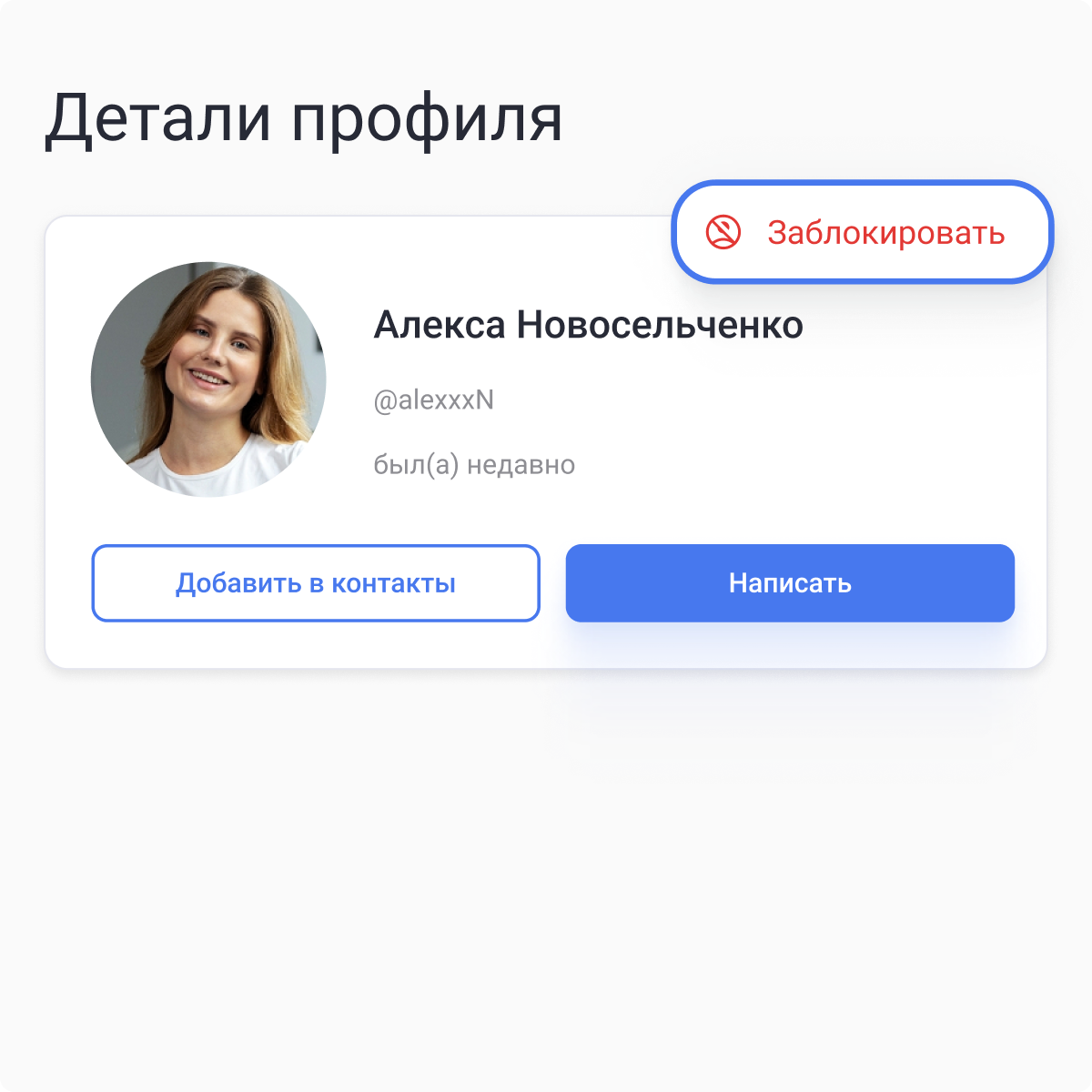
* **В профиле пользователя.** Нажмите на три точки в профиле пользователя, чтобы отобразилась кнопка блокировки или разблокировки.

<div align="left"><figure><img src="https://2525037109-files.gitbook.io/~/files/v0/b/gitbook-x-prod.appspot.com/o/spaces%2FX2lNe3VLvNHQlOCXErsT%2Fuploads%2FV3hShLL9SEEXEIPV5hcR%2FBlock1.png?alt=media&amp;token=b021f157-9bb3-4a28-be00-05770cfb06af" alt="" width="375"><figcaption></figcaption></figure></div>

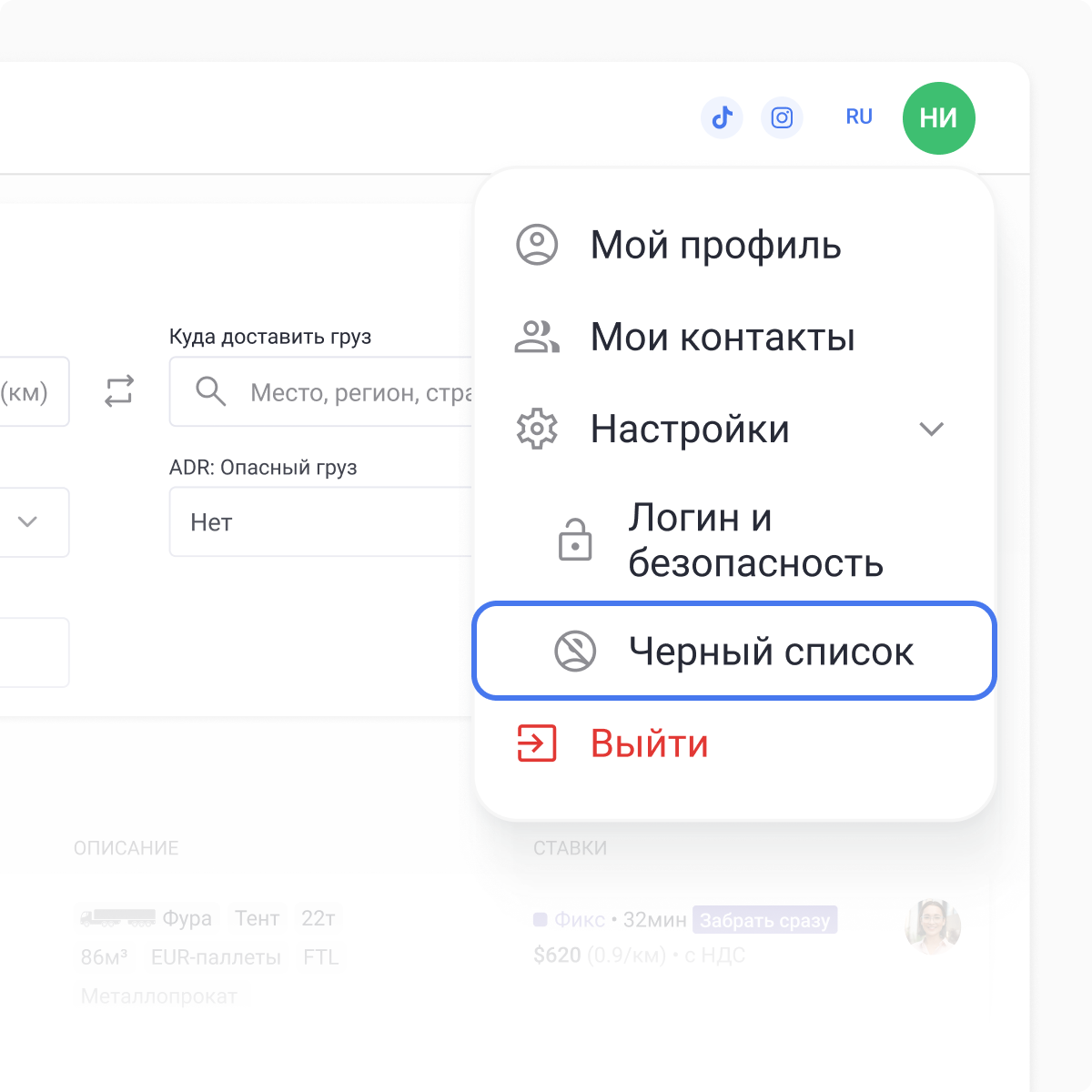
* **На странице «Черный список».** В правом верхнем углу нажмите на вашу фотографию, в появившемся меню раскройте настройки, и нажмите на кнопку «Черный список».\
  На этой странице отображается список пользователей, которых вы заблокировали. Вы можете их разблокировать, а также добавить новых пользователей в черный список, используя поиск по пользователям.&#x20;

<div align="left"><figure><img src="https://2525037109-files.gitbook.io/~/files/v0/b/gitbook-x-prod.appspot.com/o/spaces%2FX2lNe3VLvNHQlOCXErsT%2Fuploads%2FigHeTUl6YXJEojsIazFj%2FBlock2.png?alt=media&amp;token=b2827d1f-8436-4c6d-b3ff-990997fa86f8" alt="" width="375"><figcaption></figcaption></figure></div>

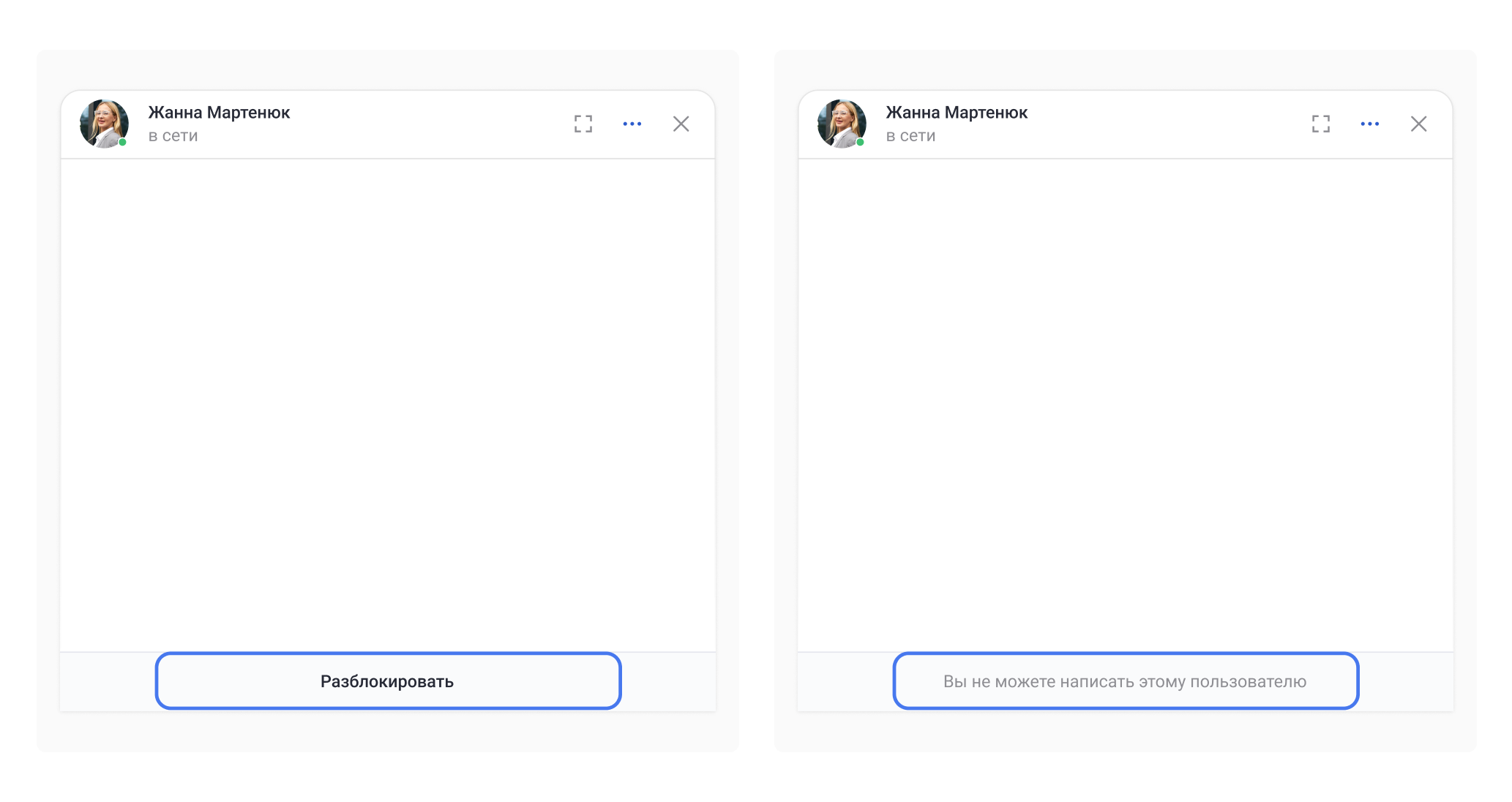
* **В окне переписке диалога, если пользователь не состоит в ваших контактах.**\
  Если ваш собеседник заблокирован, то внизу окна переписки отображается кнопка разблокировки.

<figure><img src="https://2525037109-files.gitbook.io/~/files/v0/b/gitbook-x-prod.appspot.com/o/spaces%2FX2lNe3VLvNHQlOCXErsT%2Fuploads%2FIHvyfcBNNHvZdv34qqDk%2FBlock3.png?alt=media&amp;token=bae34205-8611-49bc-84a2-ea975a74ea38" alt=""><figcaption></figcaption></figure>

{% hint style="danger" %}
**Важно!** Нельзя заблокировать пользователя, который состоит с вами в одной компании.
{% endhint %}
---

# Agent Instructions
This documentation is published with GitBook. GitBook is the documentation platform designed so that both humans and AI agents can read, navigate, and reason over technical content effectively. Learn more at gitbook.com.

## Querying This Documentation
If you need additional information that is not directly available in this page, you can query the documentation by asking a question.

Perform an HTTP GET request on the following URL with the `ask` and `goal` query parameters:

```
GET https://help.roolz.net/messendzher/faq-po-funkcionalu/blokirovka-polzovatelya-i-chernyi-spisok.md?ask=<question>&goal=<user_goal>
```

`ask` is the immediate question: it should be specific, self-contained, and written in natural language.
`goal` is what the user is ultimately trying to achieve, the reason they need the answer. Sharing it helps GitBook give you a better, more relevant answer. A goal is most helpful when it describes the outcome the user wants rather than restating the question. For example, with `ask=how do I create an API token`, a goal like `automate deployments from our CI pipeline` lets GitBook tailor the answer to that use case.

The response will contain a direct answer to the question and relevant excerpts and sources from the documentation.

Use this mechanism when the answer is not explicitly present in the current page, you need clarification or additional context, or you want to retrieve related documentation sections.