> For the complete documentation index, see [llms.txt](https://help.roolz.net/llms.txt). Markdown versions of documentation pages are available by appending `.md` to page URLs; this page is available as [Markdown](https://help.roolz.net/en/companies/company-profile/how-do-i-change-my-company-profile-information.md).
# How do I change my company profile information?
{% stepper %}
{% step %}
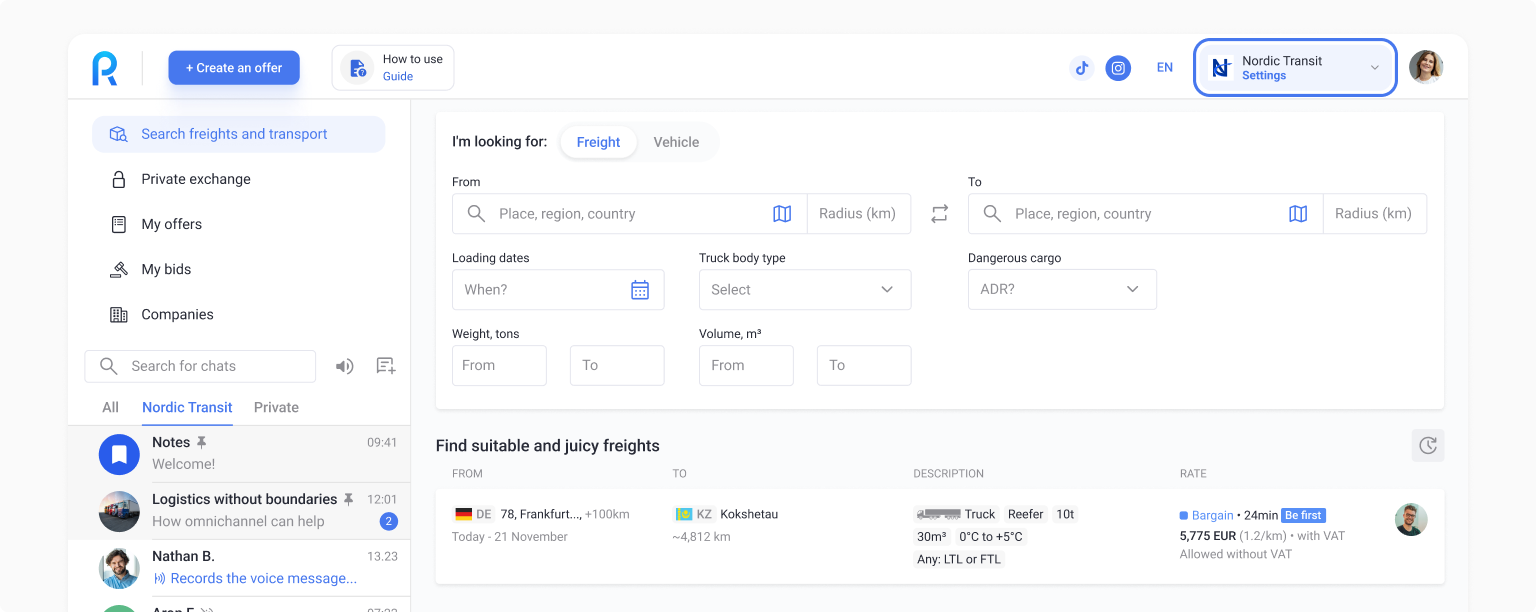
In the upper right corner, click “Settings”
{% endstep %}
{% step %}
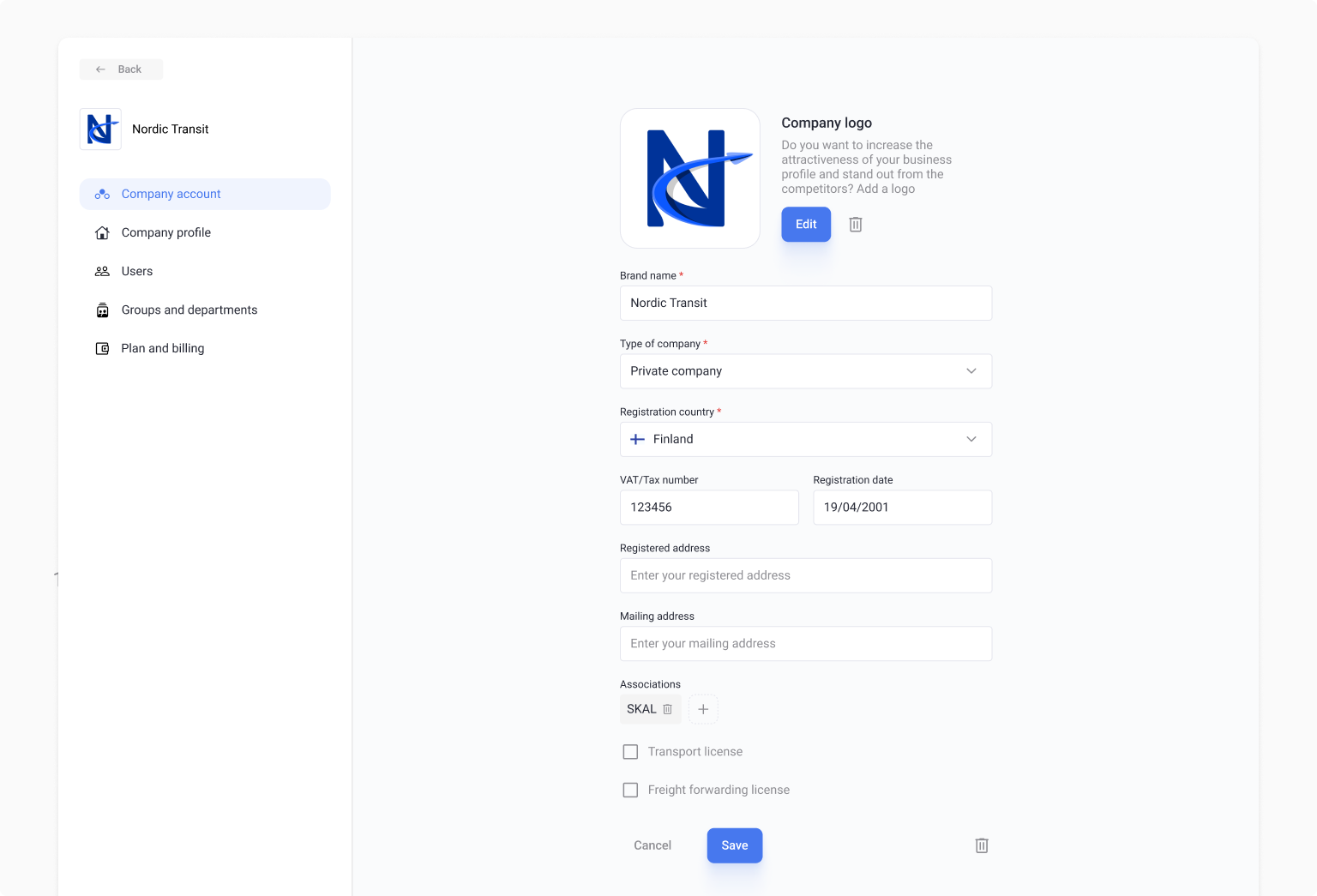
In the “Company account” block, click “Edit info”
{% endstep %}
{% step %}
In edit mode, you can change information, such as:
1. **Company logo** - people trust companies with logos more;
2. **Brand name\***—not the legal entity name, but the name of your brand. For example, imagine you are Eurotrade LLC, and your supermarket chain is called EuroMarket. Please indicate "EuroMarket" in this field. The legal name is specified separately after the company is created;
3. **Type of company\*** — such as private company, entrepreneur (sole proprietor), partnership, publicly traded company, government organization, non-profit organization, etc.;
4. **Registration country\*** - displayed as the flag of the country where your company is located;
5. **VAT/TAX number**;
6. **Registration date;**
7. **Registered address;**
8. **Mailing address;**
9. **Associations** - selection from a list;
10. **Transport license** - check the box if applicable;
11. **Freight forwarding license** - check the box if applicable.
{% endstep %}
{% step %}
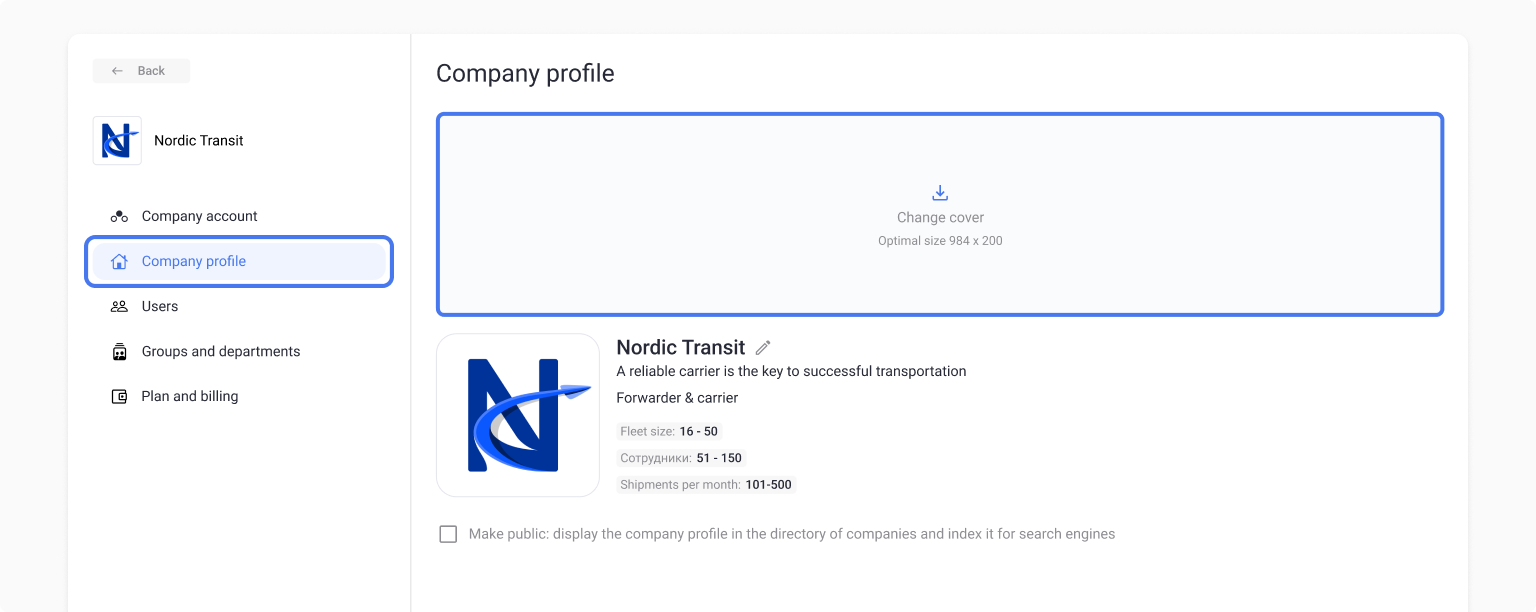
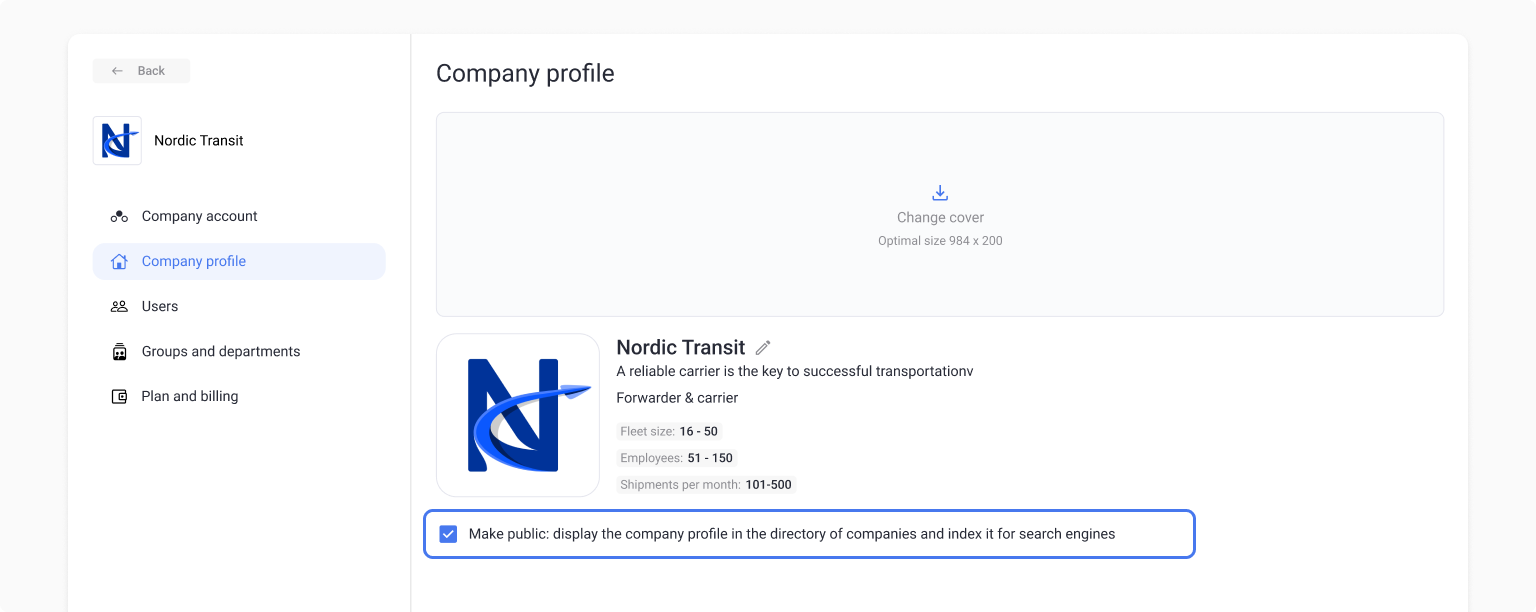
You can also edit some of the data in the "Company profile" section. For example:
* Set or change a cover photo. It appears in your company profile and is used to increase trust among other users and recognition through the company directory.
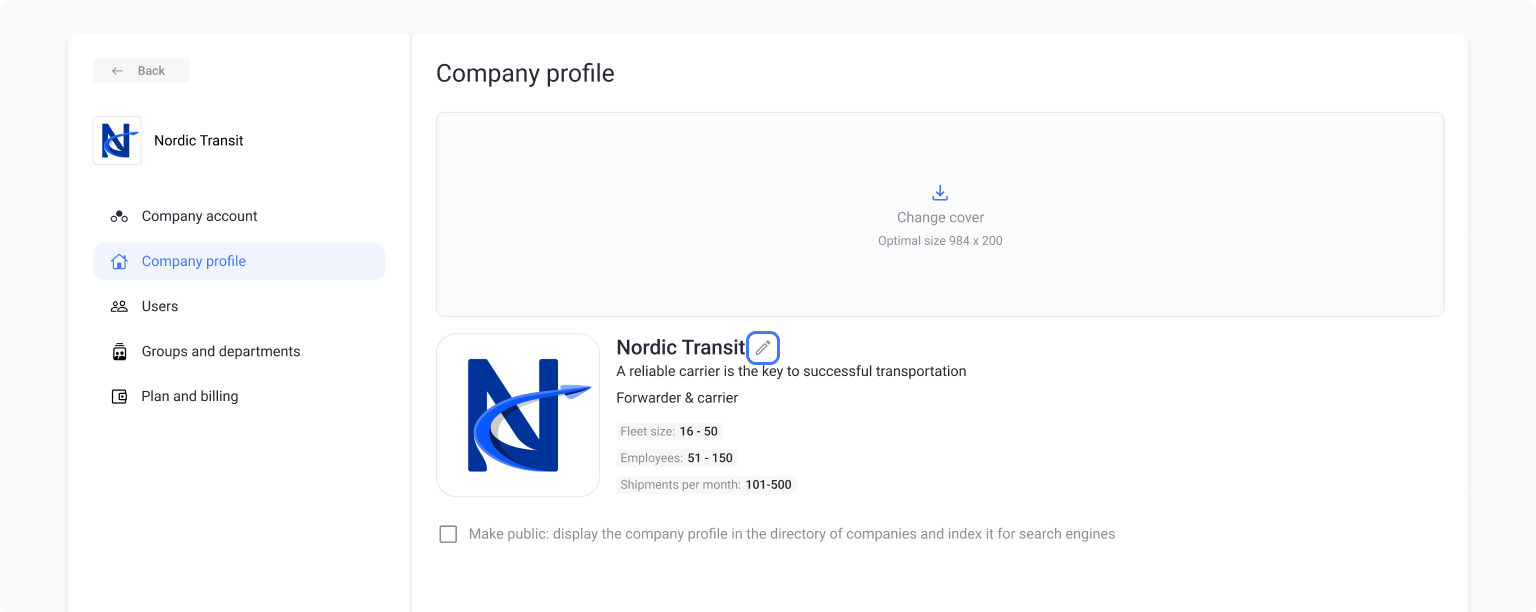
* Edit your motto, logistics role, number of shipments per month and number of employees using the button next to your company name.
* Check "Make public" checkbox so other companies can see your company in the company directory (by default, all companies are private and visible only when publishing offers or through your personal user profile).
* Add a brief company description: what it does, what services it provides, how long it has been in business, etc.
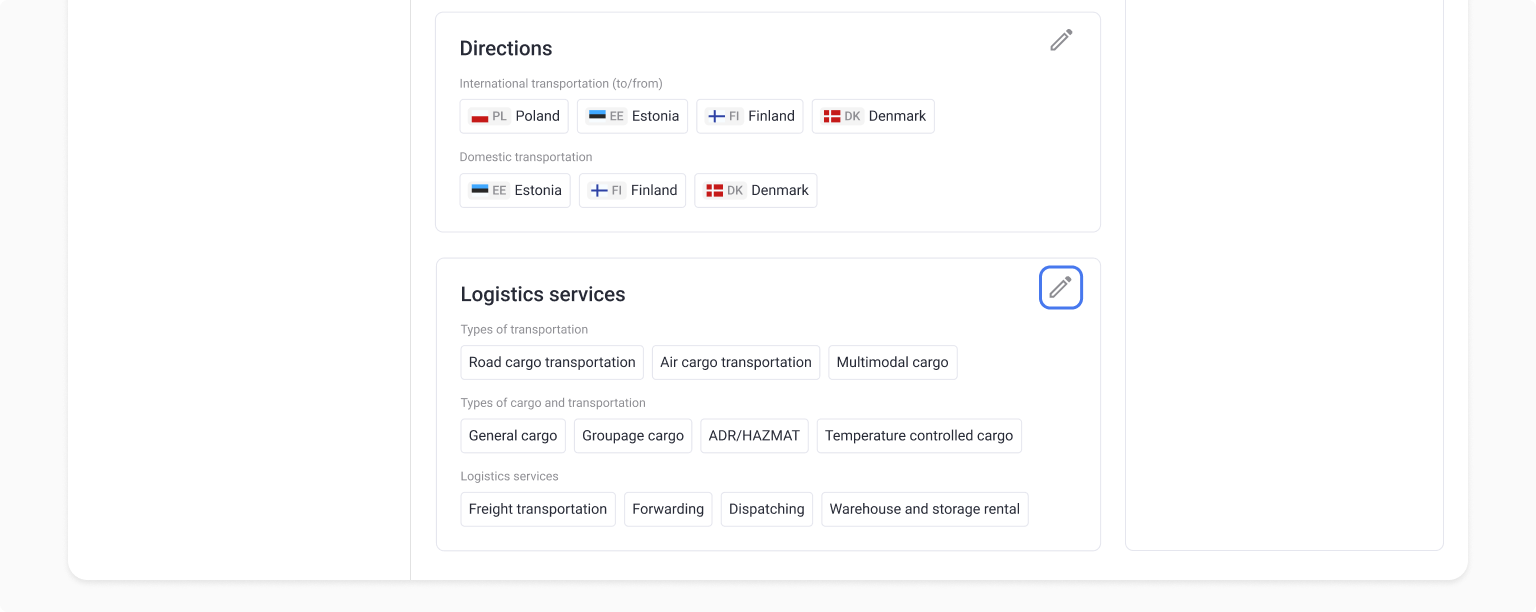
* List the directions that you work with: international and/or domestic shipping.
* List the logistics services that your company provides: types of shipping, freight, etc.
* Add or change contact information: company website, email and phone number.
* You can also add a company representative. They will be displayed in your company profile and can be contacted by other users.
{% hint style="danger" %}
**Important!** The more detailed and accurate your company profile, the greater your chances are of finding more partners and being at the top of the platform's company directory.
{% endhint %}
{% endstep %}
{% endstepper %}
---
# Agent Instructions
This documentation is published with GitBook. GitBook is the documentation platform designed so that both humans and AI agents can read, navigate, and reason over technical content effectively. Learn more at gitbook.com.
## Querying This Documentation
If you need additional information that is not directly available in this page, you can query the documentation dynamically by asking a question.
Perform an HTTP GET request on the current page URL with the `ask` query parameter, and the optional `goal` query parameter:
```
GET https://help.roolz.net/en/companies/company-profile/how-do-i-change-my-company-profile-information.md?ask=&goal=
```
`ask` is the immediate question: it should be specific, self-contained, and written in natural language.
`goal` is optional and describes the broader end goal you are ultimately trying to accomplish on behalf of the user. GitBook uses it to tailor the answer towards what is most useful for that goal.
The response will contain a direct answer to the question and relevant excerpts and sources from the documentation.
Use this mechanism when the answer is not explicitly present in the current page, you need clarification or additional context, or you want to retrieve related documentation sections.